When to use it. Your agent needs to reach a screen behind a tap, check a label or follow a flow. box run keeps the app open on an emulator; box ui drives it

Open the app

box ui on an Android box run session: describe, tap Increment, then the screen showing Count 1

The live view link shows the emulator in your browser while the session is open

Read the screen

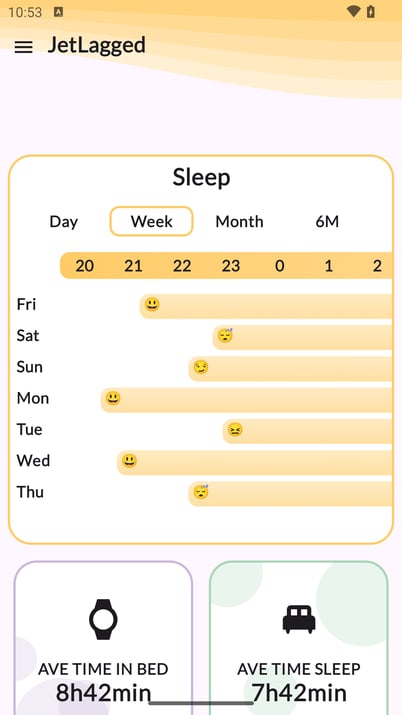
JetLagged open on an Android emulator: the Sleep chart for the week

Tap and look

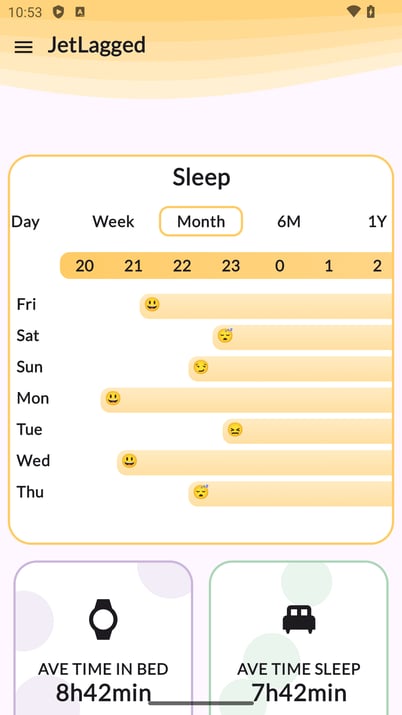
JetLagged after box ui tap --label Month: the Month range is selected
The picture saved after the tap, made smaller for this page: Month is selected. Actions in an open session are not billed again; the session is billed from when it opens until box stop

Every action

Close it

box debug (LLDB breakpoints) is iOS only and exits 2 on Android